Go to the Subscription tab. Add products & it’s respective quantities you want on a daily basis. Select the Start Date. Enjoy fresh milk delivered right at your door step.
Your Fresh Milk delivery should start within two days. You will get a call from our representative for reconfirmation.
The delivery calendar shows your supply schedule for the whole month with golden dot on the dates.
A long press on the date on delivery calendar will pause your supplies for that date.No product will be delivered on that day.
A long press on the paused date will release the pause for that date.
A single tap on the required date will show a screen with options to change the quantity. After making the required changes , press Done.
A single tap on the required date will show a screen with a tab of “Other Products”. Click it and. you will see all the products available. Select the products you want and than click √.
Either choose Done or tap the √ in the upper right corner.
Go to the Pause Supply tab on the Home screen. Fill the dates to pause the supply.
Customers who Order through "Vachan Milk App" get discounts on Products.
New scheme for advance payment from 1stMarch 2018.
Offer valid till 31st March 2018.
| Schemes | Discount | |
|---|---|---|
| 1 | 3 months | 4% |
| 2 | 6 months | 6% |
| 3 | 12 months | 8% |
Go to the Account Statement tab. Choose View option and Submit. Tap onDelivery to see the delivered items for that date.
Tap on the smaller image of the picture. You can see the large picture of the product with the details.
Go to the dots menu in the upper right corner on the Home screen. Choose the feedback option to submit your feedback. We will be more than delighted to receive your feedback.
Go to the dots menu in the upper right corner of the Home screen. Select Update your profile /Rate us.
Go to the dots menu in the upper right corner of the Home screen and choose Change password. Receive an OTP (One Time Password) on your registered mobile. Verify the OTP and reset your password.
At the time of installation of the Vachan App, the mobile number used to verify yourself with an OTP is your registered mobile number.
No, you can not change the registered mobile number and name. Call Vachan Customer Care for further enquiries.
You will receive a notification after the delivery.
Please mail us on fc@sardadairy.in
We do not encourage telephonic conversations. However, in case of any emergency, you may call on Vachan Customer care no: 0771-2214105 or 0771-9691556677.
You can change your supplies upto 4 PM for the delivery on the next day.
Go to contact us tab, and see the name and a picture of the delivery boy.
No, the delivery boy is not authorized to take any instructions.
• From 1st March 2018, all deliveries will be on advance payment only.
• The maximum billed amount of the last three months will be taken as the base amount.
• You are requested to recharge your account within 5 days.
• Home delivery will discontinue if your account balance is Nil for more than 5 days.
• Collection of cash/cheque from your home will be discontinued from 1st March 2018.
We are happy to announce a new scheme for advance payment from 1stMarch 2018.
Offer valid
• The maximum billed amount of the last three months will be taken as the base amount.
• You are requested to recharge your account within 5 days.
• Home delivery will discontinue if your account balance is Nil for more than 5 days.
• Collection of cash/cheque from your home will be discontinued from 1st March 2018.
We are happy to announce a new scheme for advance payment from 1stMarch 2018.
| Schemes | Discount | |
|---|---|---|
| 1 | 3 months | 4% |
| 2 | 6 months | 6% |
| 3 | 12 months | 10% |
Right now,
1) Online payment through Vachan Milk App (Debit, credit card, UPI,Wallet,Net Banking).
2) Online payment through PAYTM, NEFT .
3) Cash, cheque, card swapping at our Vachan parlour at VanijyaBhavan, Devendra Nagar. Phone – 0771-2215249
Please see the Account statement tab and check if your payment is updated on the given date. If any discrepancy, immediately inform us over mail.
Now,We have added a Payment Gateway in our Vachan Milk App for Online Payment.
or you can pay us at State Bank of India, Kharora Branch, A/c no. 34079080472, IFS Code SBIN0013658. Please Put your Resigtered mobile No and Name in Payment Remark Coloumn and Please mail us on fc@sardadairy.in.
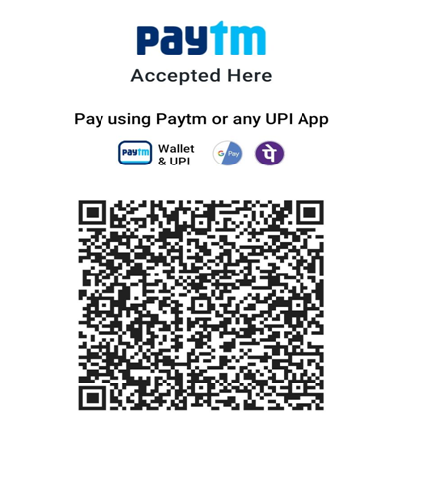
We also accept payment through Paytm. You can pay by scanning our paytm QR Code.
or you can pay us at State Bank of India, Kharora Branch, A/c no. 34079080472, IFS Code SBIN0013658. Please Put your Resigtered mobile No and Name in Payment Remark Coloumn and Please mail us on fc@sardadairy.in.
We also accept payment through Paytm. You can pay by scanning our paytm QR Code.
Please take Screen Shot and select option "Scan from Gallery" in your Paytm App and Pay your Bill.
For Cash/Cheque/POS Payment, Please Visit our Vachan Parlour Vanijya Bhavan Devendra Nagar Raipur.
no, you should never pay to the delivery boys.
The Distribution Charge for Home Delivery of Vachan Products is Rs. 50 (Fifty) Per Month.